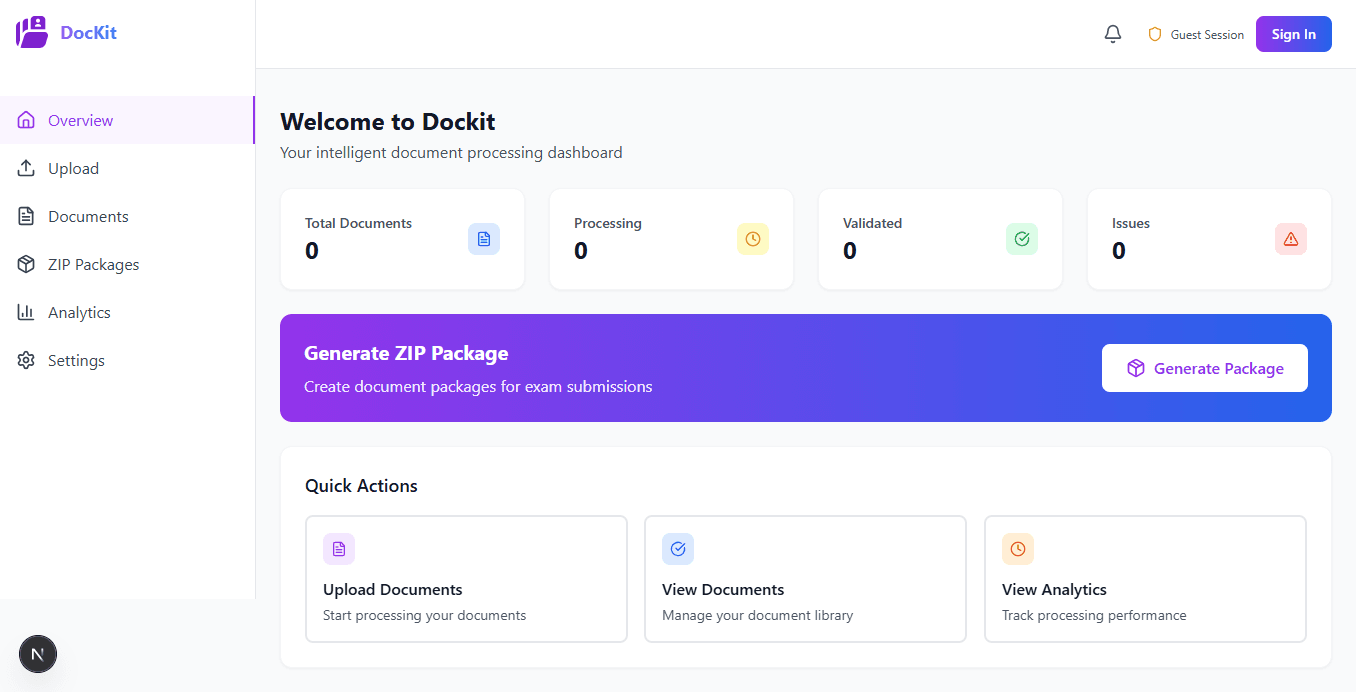
Meet DocKit
Your AI-powered document assistant that validates, processes, and organizes exam application documents with 99.9% accuracy. Never worry about format requirements again.
Supports All Major Indian Exams
From civil services to engineering—we've got you covered
Civil Services
- UPSC CSE
- UPSC CDS
- State PSCs
- SSC CGL
- SSC CHSL
Engineering
- JEE Main
- JEE Advanced
- BITSAT
- VITEEE
- State CETs
Medical
- NEET UG
- NEET PG
- AIIMS
- JIPMER
- State METs
Management
- CAT
- XAT
- SNAP
- NMAT
- CMAT
Graduate Aptitude
- GATE
- NET/JRF
- CSIR NET
- ICAR NET
Banking & Finance
- IBPS PO
- IBPS Clerk
- SBI PO
- RBI Grade B
Don't see your exam?
Powerful Features, Simple Experience
Everything you need for perfect applications
AI-Powered Validation
Our machine learning algorithms analyze your documents against official exam requirements in real-time.
- 99.9% accuracy in format detection
- Instant feedback on compliance issues
- Learns from official exam portals
- Validates dimensions, size, and format
Automatic Format Conversion
No more manual resizing or converting. DocKit handles all the technical complexity automatically.
- Converts to required dimensions (cm/pixels)
- Optimizes file size within limits
- Maintains image quality
- Supports all major formats (JPG, PNG, PDF)
Smart Organization
Get a perfectly organized ZIP file with all documents named and arranged exactly as required.
- Auto-naming per exam schema
- Folder structure creation
- Ready-to-upload packaging
- No manual sorting needed
Lightning Fast Processing
What takes hours at cyber cafes takes minutes with DocKit. Process entire applications in one go.
- Batch processing supported
- Average 2-3 minutes per application
- Cloud-based processing
- Works on any device
How DocKit Works
Four simple steps to perfect applications
Select Your Exam
Choose from 50+ supported exams. DocKit loads the exact requirements for that specific form.
Upload Documents
Drag & drop or click to upload. Take photos directly or select from gallery. Upload multiple files at once.
AI Validation
Watch as DocKit analyzes each document. Get real-time feedback on issues and see automatic corrections happen live.
Review & Download
Review all processed documents. See before/after comparisons. Download perfectly organized ZIP file ready for submission.
Real Problems, Real Solutions
See how DocKit solves actual exam requirements
UPSC CSE
Photo must be 3.5cm × 4.5cm, 200 DPI, 20-50KB in JPEG format
Upload any photo → DocKit automatically resizes, converts, and optimizes to exact requirements
JEE Main
Signature size 3cm × 1cm, black ink on white paper, 10-20KB
Scan or photo of signature → DocKit crops, enhances contrast, and sets perfect dimensions
NEET UG
Category certificate must be PDF, max 200KB, specific naming convention
Upload certificate → DocKit converts to PDF, compresses, and names it correctly
Technical Specifications
Everything you need to know about DocKit's capabilities
Supported Formats
- •Input: JPG, JPEG, PNG, PDF, HEIC
- •Output: JPG, PNG, PDF as required
- •Handles scanned documents
- •Camera photos supported
File Processing
- •Max input size: 10MB per file
- •Batch processing: Up to 20 files
- •Processing time: 10-30 seconds
- •Cloud storage: Temporary (24 hours)
Security
- •End-to-end encryption
- •Auto-deletion after 24 hours
- •No permanent storage
- •GDPR compliant
Compatibility
- •Web app (all browsers)
- •iOS app (Coming Soon)
- •Android app (Coming Soon)
- •Works offline (limited features)
Frequently Asked Questions
Everything you need to know about DocKit
Which platforms is DocKit available on?+
DocKit is currently available as a web app accessible from any browser on desktop or mobile. We're launching iOS and Android native apps soon! Sign up for early access to be notified when the mobile apps are available.
How does DocKit know the requirements for each exam?+
Our team continuously updates exam requirements from official portals. Our AI is trained on thousands of successful applications and official documentation to ensure 99.9% accuracy.
Is my data safe? Do you store my documents?+
Absolutely safe! We use bank-grade encryption for all uploads. Documents are automatically deleted after 24 hours. We never permanently store your files or share them with anyone.
What if my exam isn't listed?+
We support 50+ major Indian exams and are constantly adding more. If your exam isn't listed, request it through the app and we'll prioritize adding it based on demand.
Can I use DocKit offline?+
Limited features work offline in the mobile apps (coming soon). Document processing requires internet as our AI runs on cloud servers for maximum accuracy and speed.
What file formats do you support?+
We support all common formats: JPG, JPEG, PNG, PDF, and HEIC (iPhone photos). We can also process scanned documents and camera photos directly.
How long does processing take?+
Most documents process in 10-30 seconds. A complete exam application with 5-10 documents typically takes 2-3 minutes total.
What happens if validation fails?+
DocKit will tell you exactly what's wrong and attempt to fix it automatically. If manual intervention is needed, you'll get clear guidance on what to correct.
Ready to Never Worry About Documents Again?
Join thousands of students who are submitting perfect applications with DocKit.
Launch Web App NowNo installation required • Works on any device • Free to try